You’ve probably heard that your website needs to be “indexed” — but what does that actually mean, and why does it matter?
What does “indexed” mean?
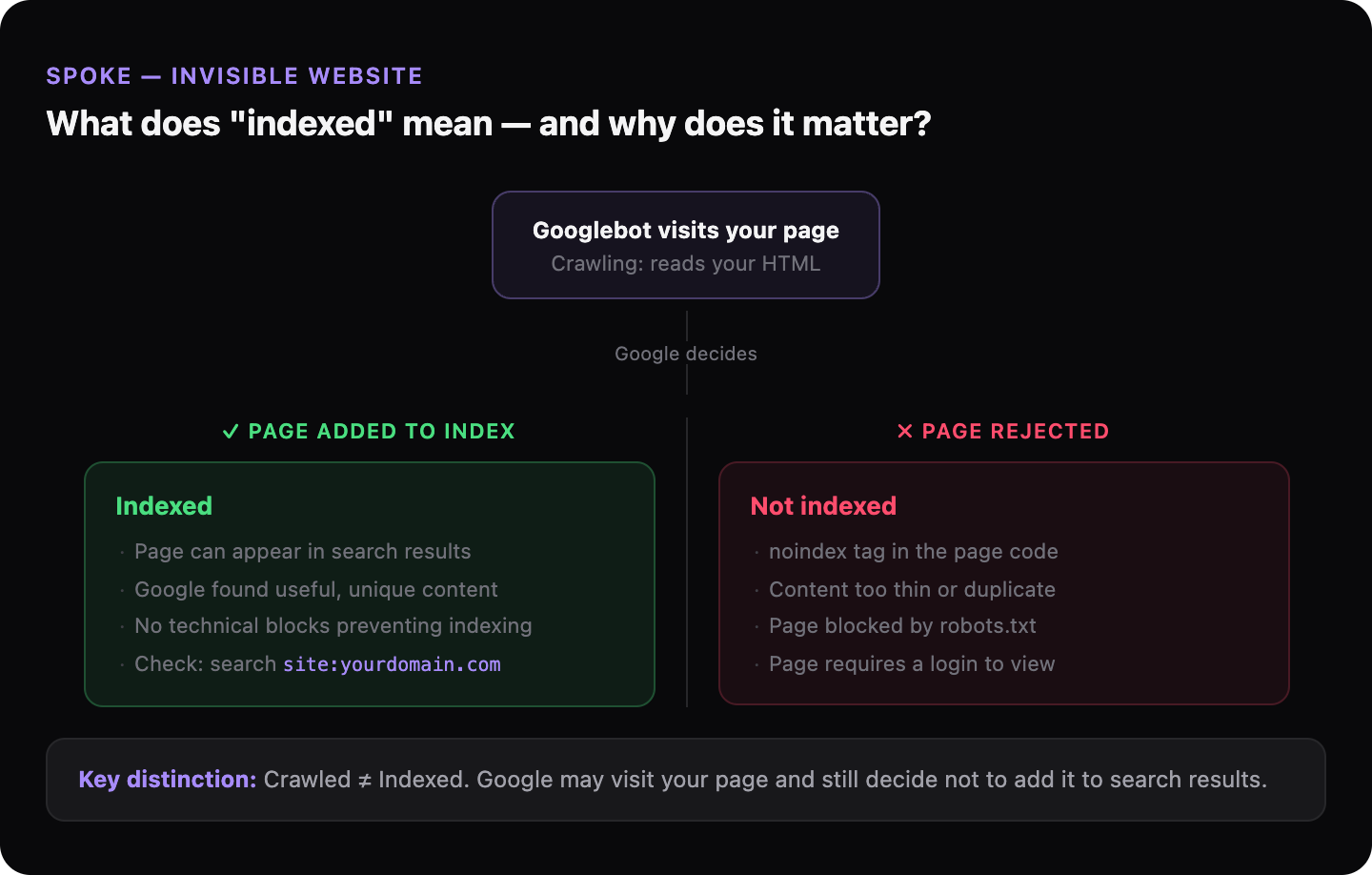
When Google indexes a page, it means Google has visited it, read the content, and added it to its database. That database is what Google searches through when someone types a query. If your page isn’t in the database, Google can’t show it — regardless of how relevant it is.
Indexing is the second step in a two-step process. First, Google’s crawler (Googlebot) visits your page. Second, Google decides whether to add it to the index. Both steps can fail independently.
What’s the difference between a page being crawled and being indexed?
Crawling means Google visited the page. Indexing means Google kept it.
| Step | What it means | Can fail because… |
|---|---|---|
| Crawling | Googlebot fetched the page | robots.txt blocks it, server too slow, no links pointing to it |
| Indexing | Google added it to its database | Page is marked “noindex”, content is too thin, page is a duplicate |
A page can be crawled but not indexed — Google visited it and decided it wasn’t worth keeping.
How do you check if your pages are indexed?
Type site:yourdomain.com into Google. The results that appear are your indexed pages. If nothing appears, none of your pages are in Google’s database. If some pages appear but others don’t, those missing pages have an indexing problem.
For a more detailed view, Google Search Console shows exactly which pages are indexed and which are excluded — and why.
Why would Google refuse to index a page?
The most common reasons:
- The page has a
noindextag — a line of code that tells Google not to add it. This is sometimes added accidentally during development and never removed. - The content is too short or too similar to other pages on the web.
- The page is behind a login or requires interaction to load (JavaScript-heavy pages can be partially invisible to Google).
- The page was never crawled in the first place — no links point to it, and it wasn’t submitted via Google Search Console.
Does every page on my site need to be indexed?
No. Pages like login pages, thank-you pages, or internal search results don’t need to be indexed — and shouldn’t be. The pages that matter are the ones you want potential customers to find: your homepage, service pages, location pages, and blog posts.
The goal isn’t maximum indexing. It’s making sure the right pages are indexed.
→ Back to the full picture: Why your website doesn’t show up on Google
Not sure if Google has indexed your site? GhostSite checks your indexing status in minutes and tells you exactly what’s missing.