
The instinct to hire someone for anything website-related is understandable — you don’t want to break something you don’t understand. But some of the most common website problems have simple fixes anyone can do, while others are genuinely risky to touch without expertise.
What can you safely fix yourself?
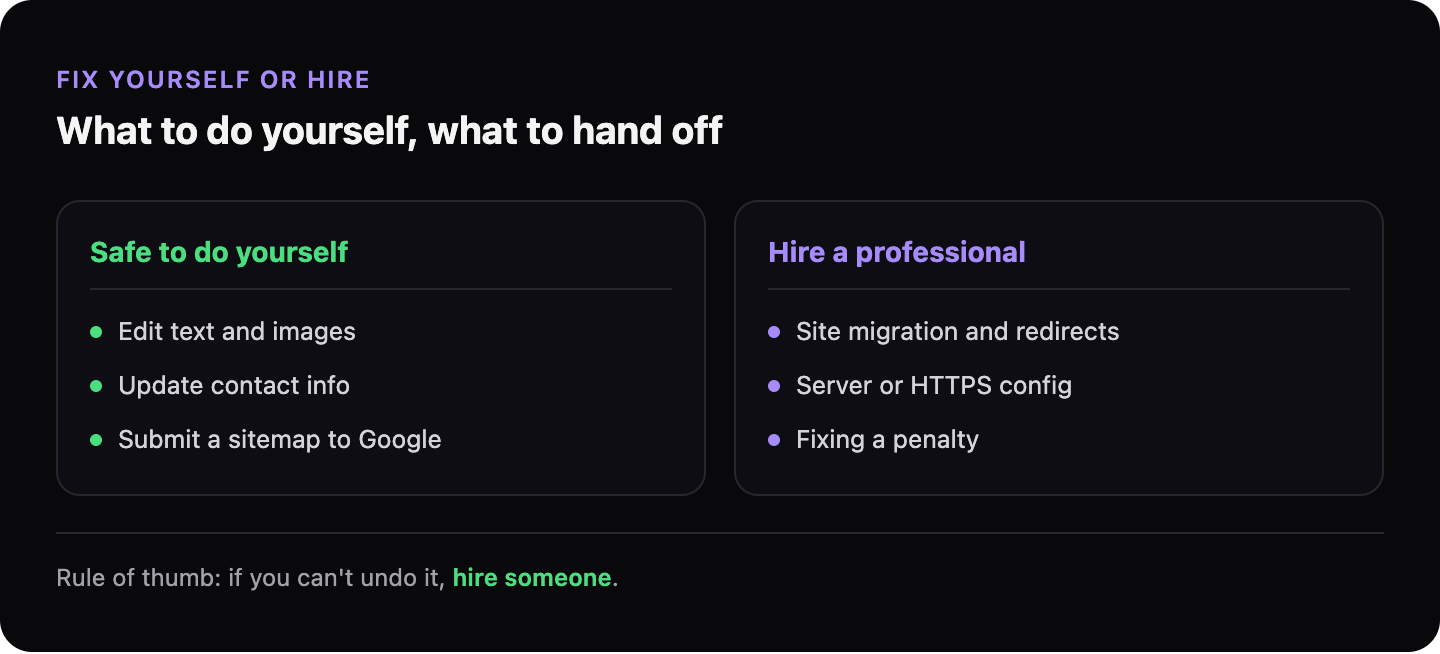
These don’t require technical knowledge and carry low risk:
| Fix | How to do it |
|---|---|
| Update your meta description | In WordPress: edit the page, find the SEO section (Yoast or Rank Math), update the description |
| Add your phone number visibly | Edit your homepage text — this is content, not code |
| Add or update business hours and location | Edit the relevant page content |
| Request Google to re-crawl your page | Free in Google Search Console — URL Inspection → Request Indexing |
| Submit your sitemap to Google | Free in Google Search Console — Sitemaps section |
| Add a contact form | Use a WordPress plugin like Contact Form 7 or WPForms — drag and drop, no code |
| Compress images before uploading | Use a free tool like Squoosh.app before uploading to WordPress |
What should you hire someone for?
These require technical knowledge or carry meaningful risk if done incorrectly:
- Installing or configuring SSL/HTTPS — mistakes can break the site or cause security errors
- Editing robots.txt — one wrong line blocks Google from the entire site
- Migrating to a new domain or hosting — high risk of data loss or broken links without a clear process
- Fixing Core Web Vitals / page speed at code level — requires understanding of how browsers render pages
- Removing a Google manual penalty — needs careful handling and a formal reconsideration request
- Resolving a hacked or compromised site — requires security expertise to clean fully and prevent recurrence
How do you decide on the borderline cases?
Ask two questions:
-
If I get this wrong, what breaks? If the answer is “the whole site goes down” or “Google stops crawling me,” hire someone. If the answer is “I can undo it in 30 seconds,” try it yourself.
-
Is there an undo button? In WordPress, most content changes can be reverted. Code and server changes often can’t.
What about using tutorials or AI to fix things yourself?
Tutorials and AI tools can walk you through technical changes — and for low-risk tasks, this works well. The risk is applying a generic tutorial to a specific setup without understanding the differences. A step that works on one WordPress configuration can break another.
If you’re following a tutorial for something that touches server settings, code files, or database entries — have a backup first.
→ Read more: What to ask before hiring someone to fix your website
→ Read more: What does a website audit actually tell you?
GhostSite ranks every issue by impact and complexity — so you can see at a glance what to fix yourself and what to hand to a developer.