Someone nearby searches for exactly what you offer — “plumber near me”, “dentist in [your town]” — and your business doesn’t appear on the map. A competitor three streets away does. For a local business, this is lost work, every day.
Showing up on Google Maps is a separate problem from showing up in normal Google results, with its own causes and its own fixes. Here are the ones that matter.
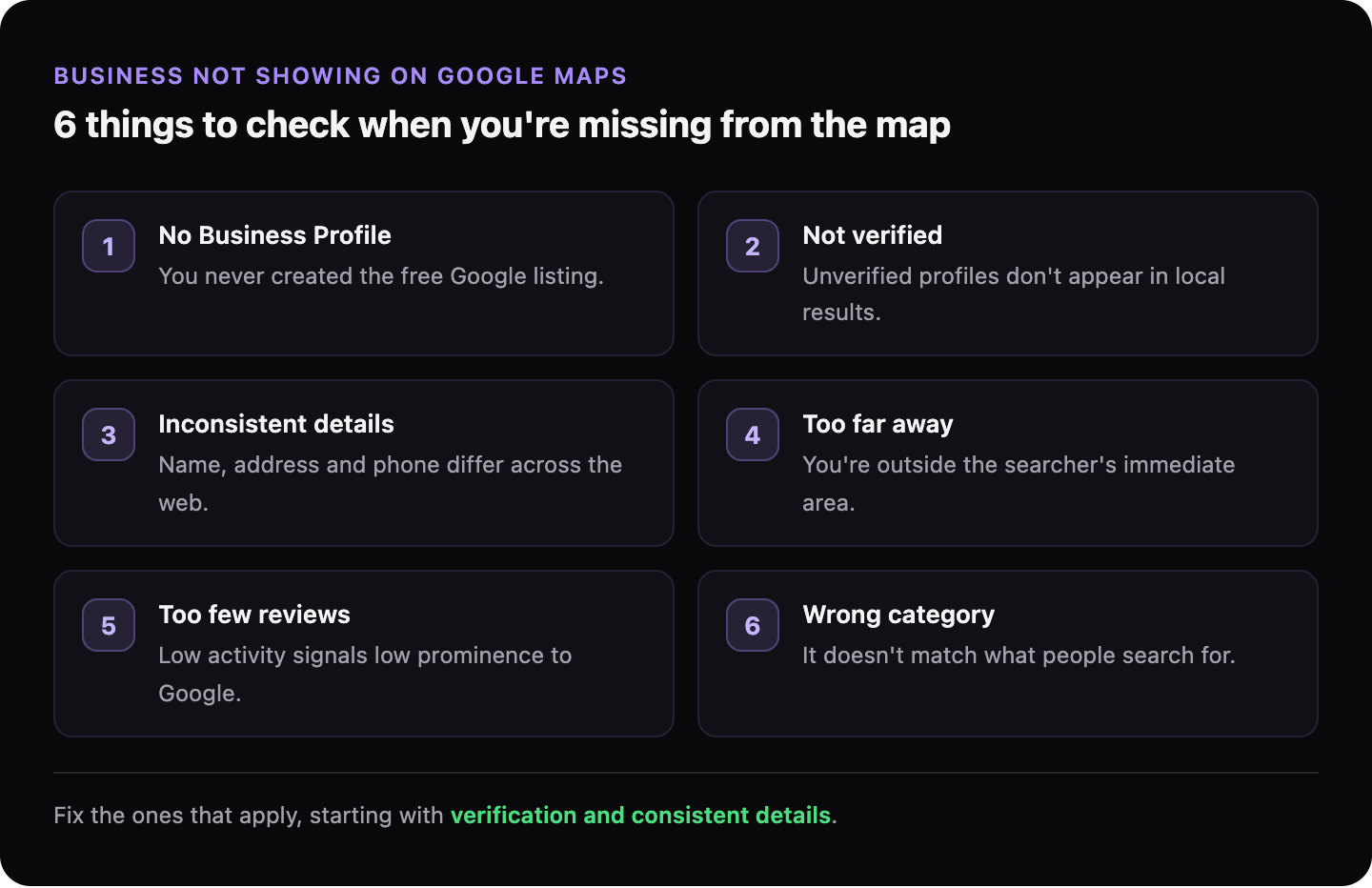
Do you actually have a Google Business Profile?
Appearing on Google Maps requires a Google Business Profile — the free listing that controls your name, location, hours, and reviews on Google. Without one, you can’t appear in the map results at all, no matter how good your website is.
Many businesses assume that having a website is enough. It isn’t. The map results and the regular blue-link results are two different systems. The profile feeds the map; the website feeds the links.
If you’ve never set one up — or someone set one up years ago and you’ve lost access — that’s almost always the first thing to fix.
→ Read more: How to set up your Google Business Profile the right way
Is your profile verified?
An unverified profile usually won’t show in the map results. Verification is Google’s way of confirming you’re really the business at that address — normally by sending a postcard with a code, or by phone or video.
If you created a profile but never finished verification, it’s effectively invisible. Check the profile dashboard for a “Verify now” prompt.
Is your business information consistent everywhere?
Google trusts businesses whose details match across the web. Your NAP — Name, Address, Phone number — should be identical on your website, your Google Business Profile, and any directories you’re listed in.
Small inconsistencies cause real problems: “Street” on one site and “St.” on another, an old phone number on a directory you forgot about, two slightly different business names. Each mismatch makes Google less certain you’re a single, real business — and less likely to show you.
Are you too far from the searcher?
Google Maps results are heavily based on distance. A business ranks well for searches physically near it and fades the further away the searcher is. This is normal and expected — you can’t outrank a competitor for a search happening on their doorstep.
What you can control is how well you rank within your genuine service area. If you’re invisible even to people nearby, the cause is one of the other issues here — not distance.
→ Read more: How to rank higher in local search results
Do you have reviews — and do you respond to them?
Reviews are one of the strongest local ranking signals. A business with steady, recent reviews tends to outrank an equivalent one with none. Google reads both the number of reviews and how recent they are.
Responding to reviews matters too — it signals an active, real business. A profile with zero reviews and no activity looks abandoned to both Google and customers.
→ Read more: How customer reviews affect your Google ranking
Is your profile in the right category?
Your primary category tells Google what you do. “Restaurant” vs “Italian restaurant” vs “Pizza restaurant” pull you into completely different searches. The wrong category — or a vague one — keeps you out of the searches your customers actually type.
Pick the most specific category that fits, and add secondary categories for your other services.
What if my profile is fine but I still don’t show?
If your profile is set up, verified, consistent, and active but you’re still missing, the problem is usually competitive strength: established competitors with more reviews, older profiles, and websites that clearly reinforce their location and services. That’s fixable, but it’s a longer game of building reviews and matching your website to your local intent.
It’s also worth confirming the basics on the website side — that Google can even read and index your site properly, since the profile and website reinforce each other.
→ Read more: What is local SEO and does your business need it?
→ Read more: Why your website doesn’t show up on Google
What to do next
Start by confirming the foundation: do you have a verified Google Business Profile with the correct category and consistent contact details? Fix that first — it’s the single biggest lever.
Then check that your website backs it up and is readable by Google. GhostSite runs a free check of your site in minutes and tells you, in plain language, what’s holding you back.